 LASI
LASIFeatures
Resources
Pay every host exactly right
Commission is filed the moment a show is finalized, on the net after TikTok’s fees. Two hosts on one show? Each is paid for what they sold.
Signups open soon. Be first in.
Read the guideFiled at close
No spreadsheet at the end of the week. Finalizing a show files each host’s commission.
Split at the handover
Record the switch by sticker number, like “Kate from #347”, and the sales divide exactly.
Rates and tiers
A flat rate or a tier ladder, for the whole team or for one host.
Hosts see their own pay
This week’s commission and the last stream, on each host’s home screen. Nothing else.
How it works
- 01
Add your hosts
Give each host a rate and link their login, so they can see their own pay.
- 02
Stream
Pick the lead host. If someone takes over, tap Switch host at the sticker they start on.
- 03
Finalize
Each host’s share is filed at their own rate. Change a host later and it files again on its own.
The week’s commission, host by host, with a message ready to send.
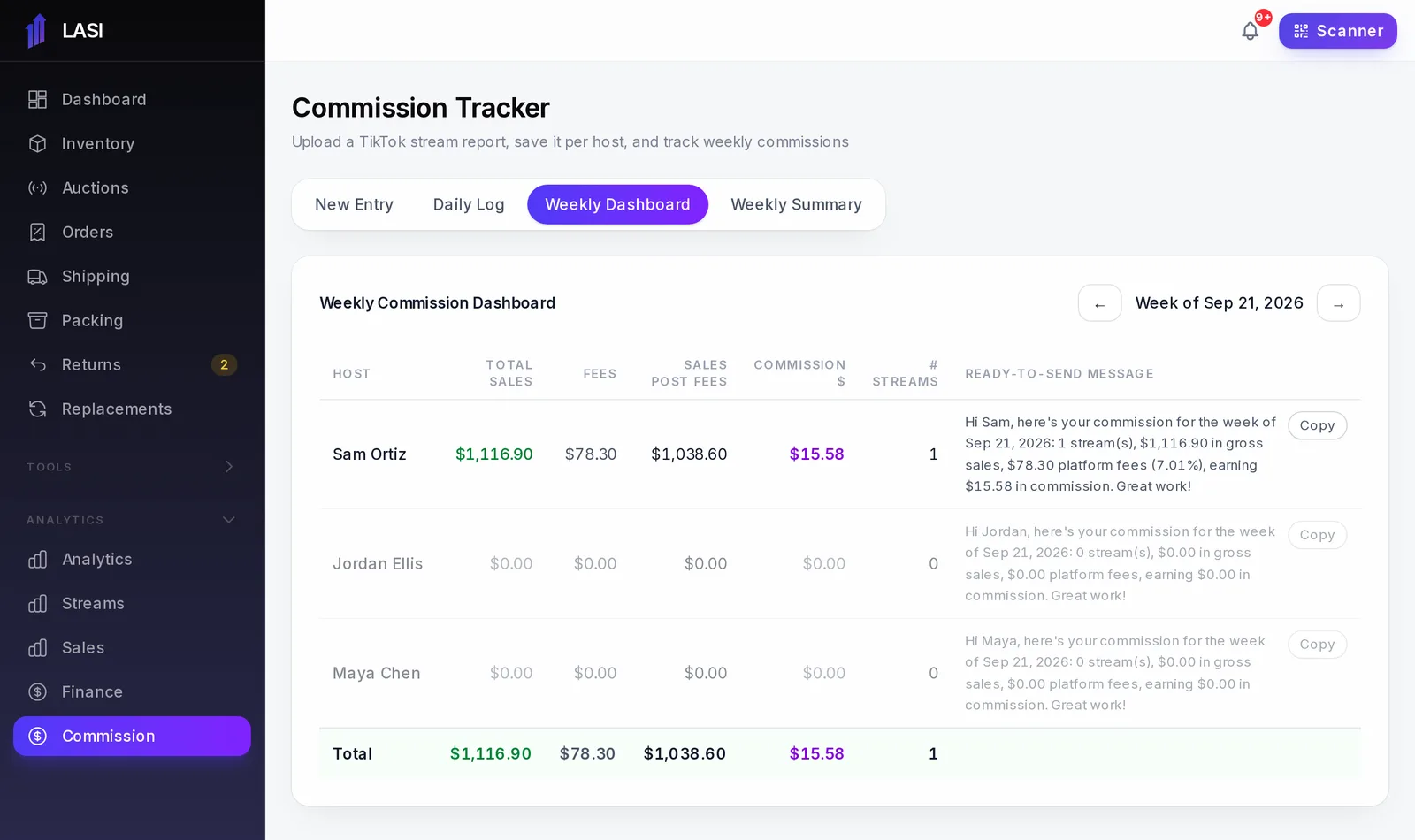
From LASI’s demo business. Names and numbers are made up.
Questions
Is commission paid on gross or net?
On the net after TikTok’s fees, at the host’s own rate. When TikTok’s own fee figure arrives, the commission is updated once, then it stays put.
What if two hosts share a show?
Record when the second host takes over by sticker number. Every sale from there on is theirs, and each host is paid their share at their own rate.
Can a host see the business’s profit?
No. A host sees their own shows, their own sales and their own commission. Costs and profit stay with admins.
What if I picked the wrong host?
Change the host on the show, even after it is finalized, and the commission is filed again to the right person.
The full walkthrough is in the User Guide: Hosts, co-hosts and commission
Works with
Run your next show on LASI
Load a bin, go live, and know the real profit before you leave the studio.