 LASI
LASIFeatures
Resources
Know what every show really made
Sales, less TikTok’s fees, the true cost of what sold, shipping and your hosts, for every stream. Watch it while you are live and trust it months later.
Signups open soon. Be first in.
Read the guideProfit while you are live
Name the bin you are selling from and the show’s board shows profit so far, mid-stream.
Fees that correct themselves
LASI starts from your shop’s rate, then swaps in TikTok’s own figures order by order.
The real cost of goods
Every sale carries the cost of the exact units it took, not an average.
From order to bank
See what is in transit, settling or paid out, including early-payout fees TikTok never itemizes.
How it works
- 01
Link the stream
Connect TikTok Shop once, then link each show to its LIVE with a tap.
- 02
Sell
Sales, units and profit so far update on the show’s board while it runs.
- 03
Close it out
Confirm the count and finalize. Sales, costs and commission are written in one go.
- 04
Read the report
Every finished show has its own report, and the P&L covers any range you pick.
A finished show: profit, fees, cost of goods and the host’s pay.
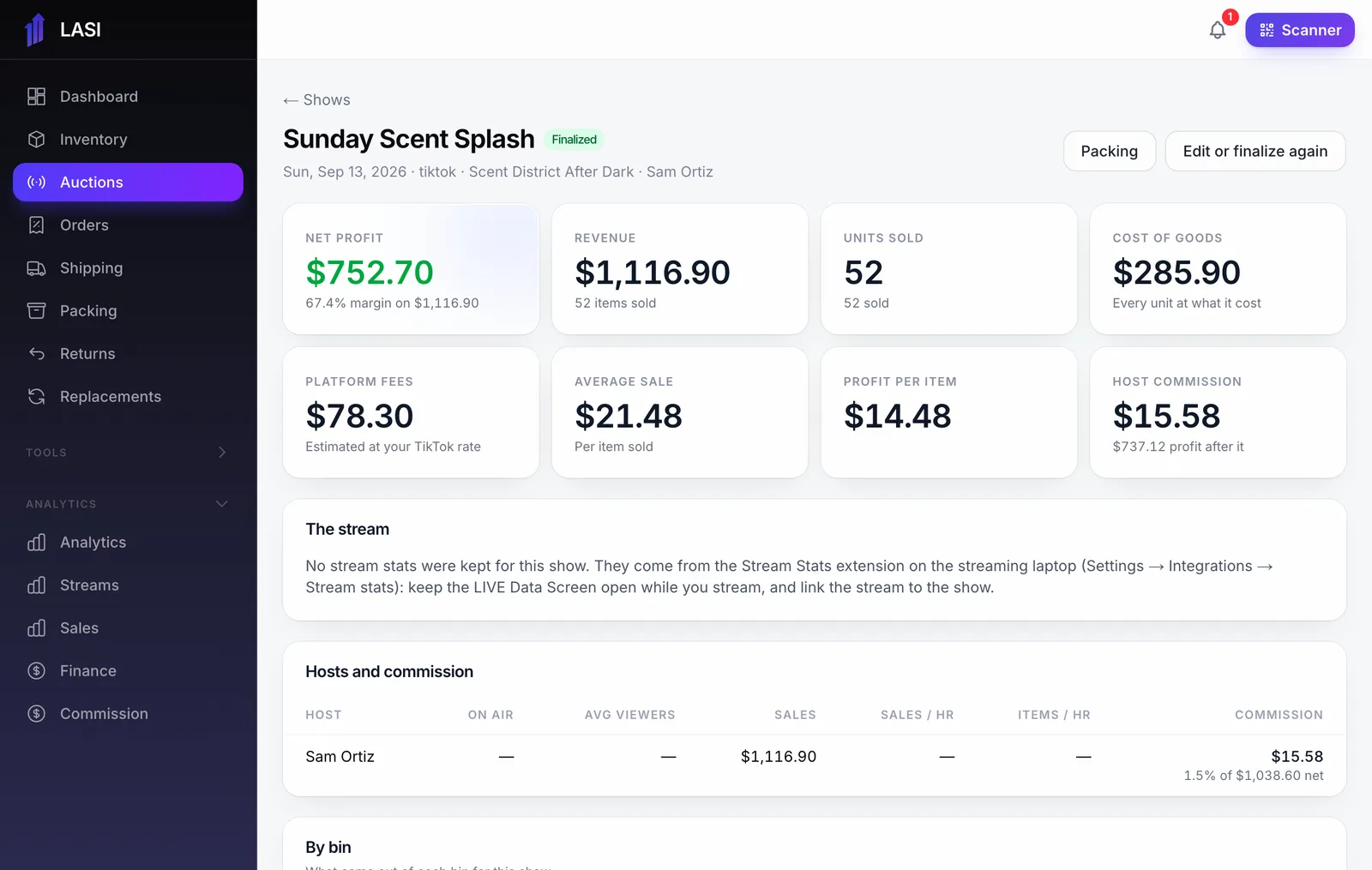
From LASI’s demo business. Names and numbers are made up.
Questions
How does LASI know TikTok’s fees before they settle?
It starts at your shop’s rate on item price plus buyer-paid shipping, the base TikTok charges on. Within hours it switches to TikTok’s own estimate for each order, then to the settled figure.
What counts as cost of goods?
The cost of the exact units each sale took, oldest first. Giveaways are costed from their own bin.
Does it include shipping?
Yes. What buyers paid for shipping and what your labels cost are tracked per show, whether you use your own labels or TikTok’s.
Can my hosts see profit?
No. Profit and cost are for admins. Hosts see their own shows’ sales and their own commission.
Do I need to connect TikTok Shop?
For live numbers and fee updates, yes. Without it you can still count a show by hand and price it from TikTok’s order export.
The full walkthrough is in the User Guide: Finalizing, show reports and fixing a show
Works with
Run your next show on LASI
Load a bin, go live, and know the real profit before you leave the studio.