 LASI
LASIFeatures
Resources
Every TikTok return, before the deadline
Return requests sync from TikTok with their countdowns. Check packages in by scanning the label, and put good units back in stock at what they cost.
Signups open soon. Be first in.
Read the guideSorted by what needs you
The request with the least time left comes first, so nothing is approved by default.
A desk for packages
Scan the return label, mark each item, take photos. Like-new units go straight back in their bin.
Traced to the packer
Wrong or missing item? See which box it was and who packed it.
Decide in LASI
Approve, refund or reject with TikTok’s own options. Refunds over your limit wait for an admin.
How it works
- 01
Sync
Requests, cancellations and their deadlines come in from TikTok on their own.
- 02
Check it in
When a package arrives, scan it at the returns desk, on a computer or a phone.
- 03
Decide
Approve, refund or reject, with photos as evidence, in LASI or in Seller Center.
- 04
Count the cost
Once TikTok refunds, unusable units are written off at cost and land in your P&L.
Returns sorted by what needs you, soonest deadline first.
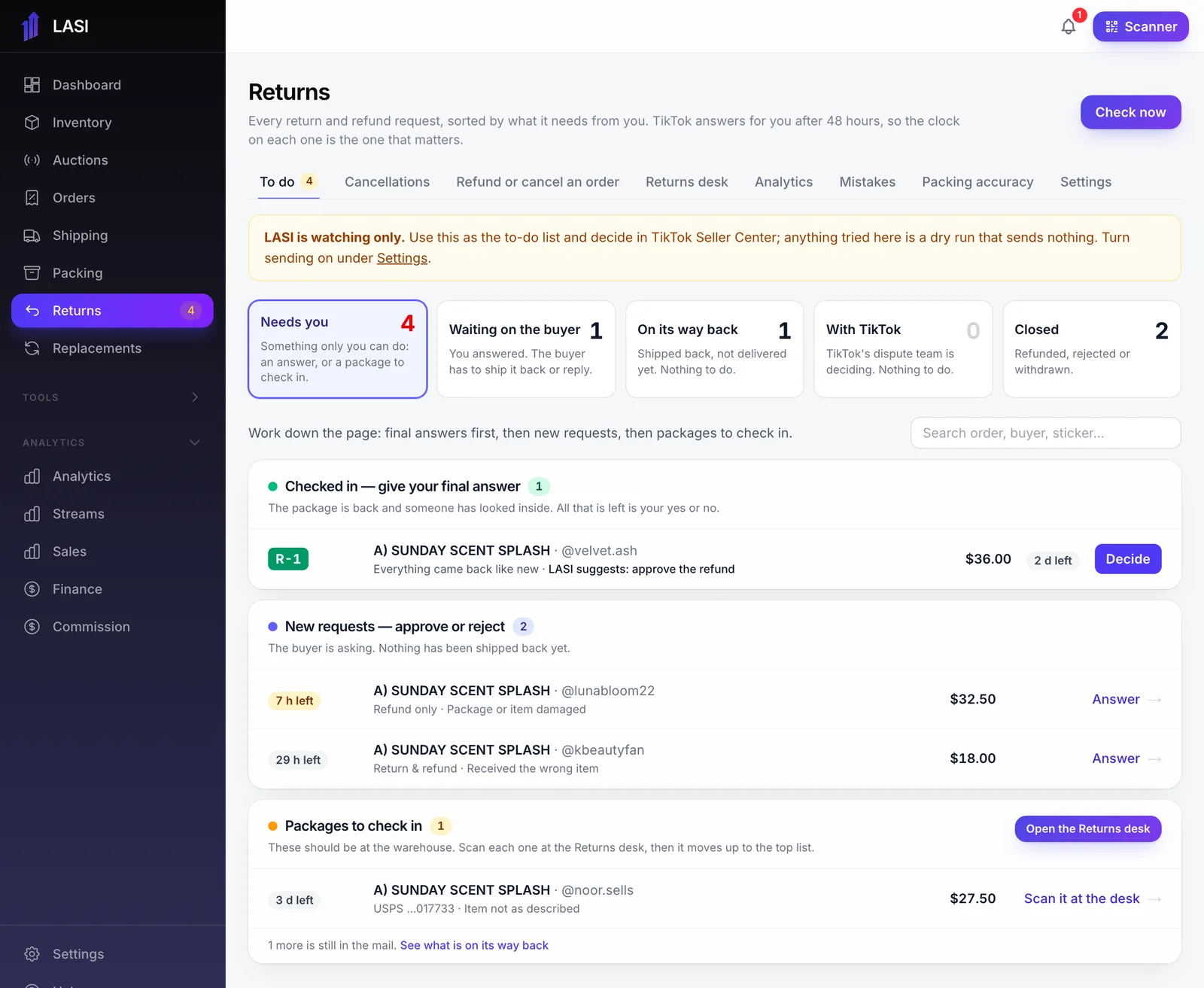
From LASI’s demo business. Names and numbers are made up.
Questions
Does LASI decide returns on its own?
No. A person decides every return. LASI starts in watching mode and only sends decisions to TikTok once an admin turns that on.
Can my customer service team use it?
Yes. The customer service role sees returns and replacements only, and a refund over your limit waits for an admin.
What happens to a returned item?
Like-new units go back into their bin at the cost the sale used. Damaged or missing units are written off once TikTok refunds.
Does it handle cancellations?
Yes. Cancellations sync too, and a cancelled order’s box is frozen on the packing bench so it cannot ship.
The full walkthrough is in the User Guide: TikTok returns and cancellations
Works with
Run your next show on LASI
Load a bin, go live, and know the real profit before you leave the studio.