 LASI
LASIFeatures
Resources
Find the streams that actually sell
LASI reads every stream from TikTok while it runs, keeps it minute by minute when it ends, and ranks it against every other stream. The LASI Chrome extension adds your LIVE dashboard, second by second.
Signups open soon. Be first in.
Read the guideLive numbers anywhere
Viewers, impressions, items sold and GMV on your dashboard and your phone while you stream.
Every stream kept
Each LIVE is saved minute by minute, long after TikTok’s dashboard has moved on.
Your best time to go live
Sales and items per hour by time slot and hour of day, so you book the slots that sell.
Hosts compared fairly
A shared stream is split at the handover, so each host is measured on their own stretch.
How it works
- 01
Install the extension
Add the LASI extension to Chrome on your streaming computer and pair it with a code from Settings.
- 02
Go live as usual
Open your TikTok LIVE dashboard. The extension reads its numbers every few seconds.
- 03
Compare
When the stream ends, LASI adds TikTok’s exact sales and ranks it against every other stream.
Every stream, compared by time frame and host.
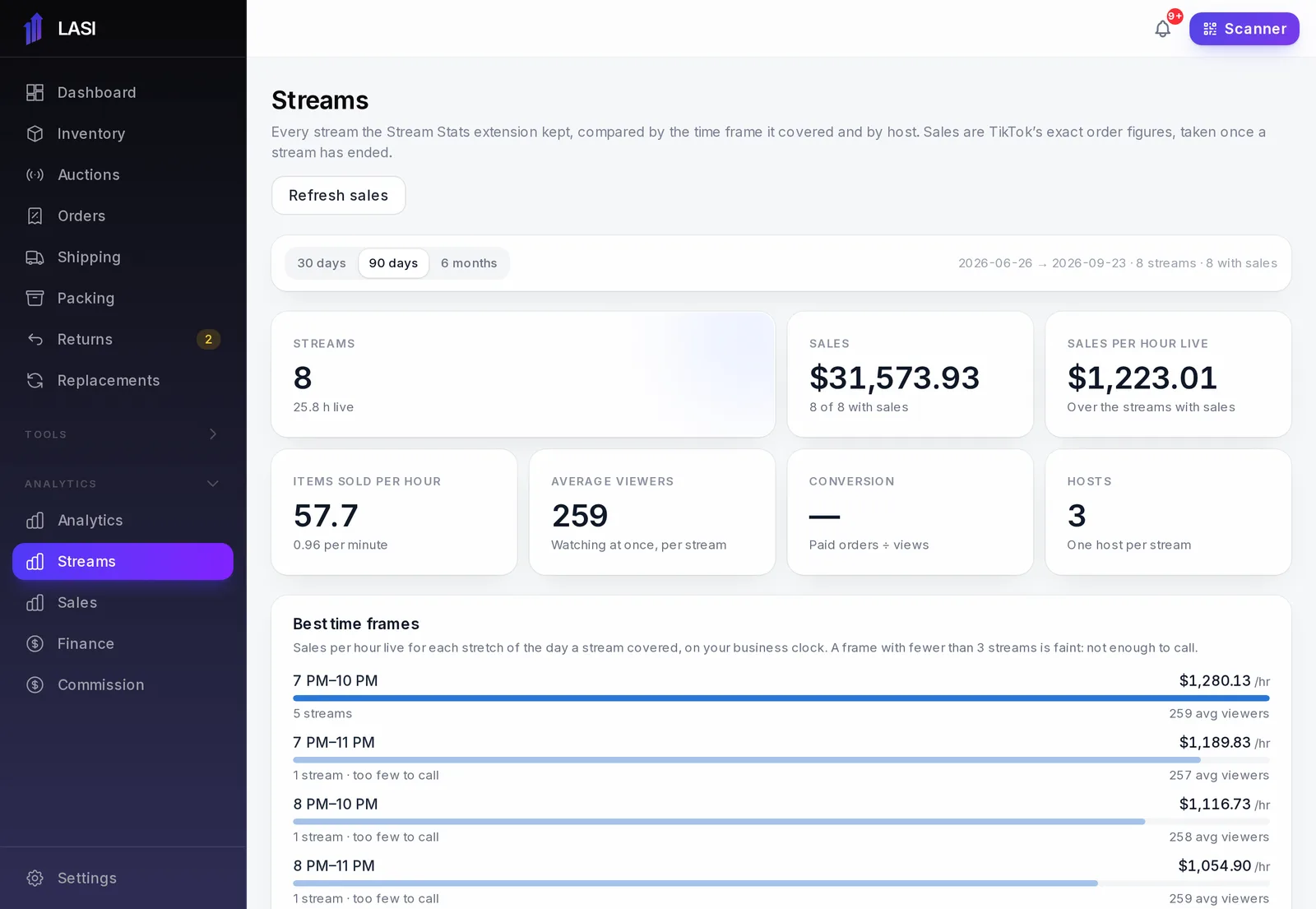
From LASI’s demo business. Names and numbers are made up.
Questions
Do I need the Chrome extension?
No. LASI reads likes, comments, clicks and items sold for each stream from TikTok, and keeps every stream minute by minute. Sign in the TikTok account you go live from and LASI sees who is watching right now too. The extension adds your LIVE dashboard’s own numbers, second by second, including impressions: how often your LIVE was shown.
What does the extension read?
Numbers only: viewers, impressions, items sold, GMV and the like. It never reads buyer names or chat, and it runs only on your TikTok LIVE dashboard pages.
What if two computers read the same LIVE?
They are kept as one stream, with each computer’s numbers joined together.
Who on my team can see it?
Viewer counts are visible to everyone. Sales dollars only to the roles that see revenue.
The full walkthrough is in the User Guide: Stream analytics
Works with
Run your next show on LASI
Load a bin, go live, and know the real profit before you leave the studio.