 LASI
LASIFeatures
Resources
Upload the invoice. Receive the truck.
LASI reads the invoice, matches each line to your catalog and tracks the freight. Nothing becomes stock until you count what actually arrived.
Signups open soon. Be first in.
Read the guideRead for you
Every line, quantity, price, freight charge and PRO number, pulled from a PDF or a photo.
Matched by barcode
Lines match your catalog by UPC, the supplier’s item number or the name. Unsure ones wait for you.
True landed cost
Freight and fees are spread across the stock by cost, by units or per line, to the cent.
Short shipments handled
Mark what came up short as coming later or as a credit to claim. You carry only what arrived.
How it works
- 01
Upload
Drop in the invoice. LASI reads it while you get on with your day.
- 02
Match
Confirm each line against your catalog, one tap a line. A new item gets a bin of its own.
- 03
Track
Every PRO and tracking number sits on the order, with a link to the carrier.
- 04
Receive
Count the delivery at the dock, on a computer or your phone. Only then does the stock go live.
An invoice, read and matched, waiting for the truck.
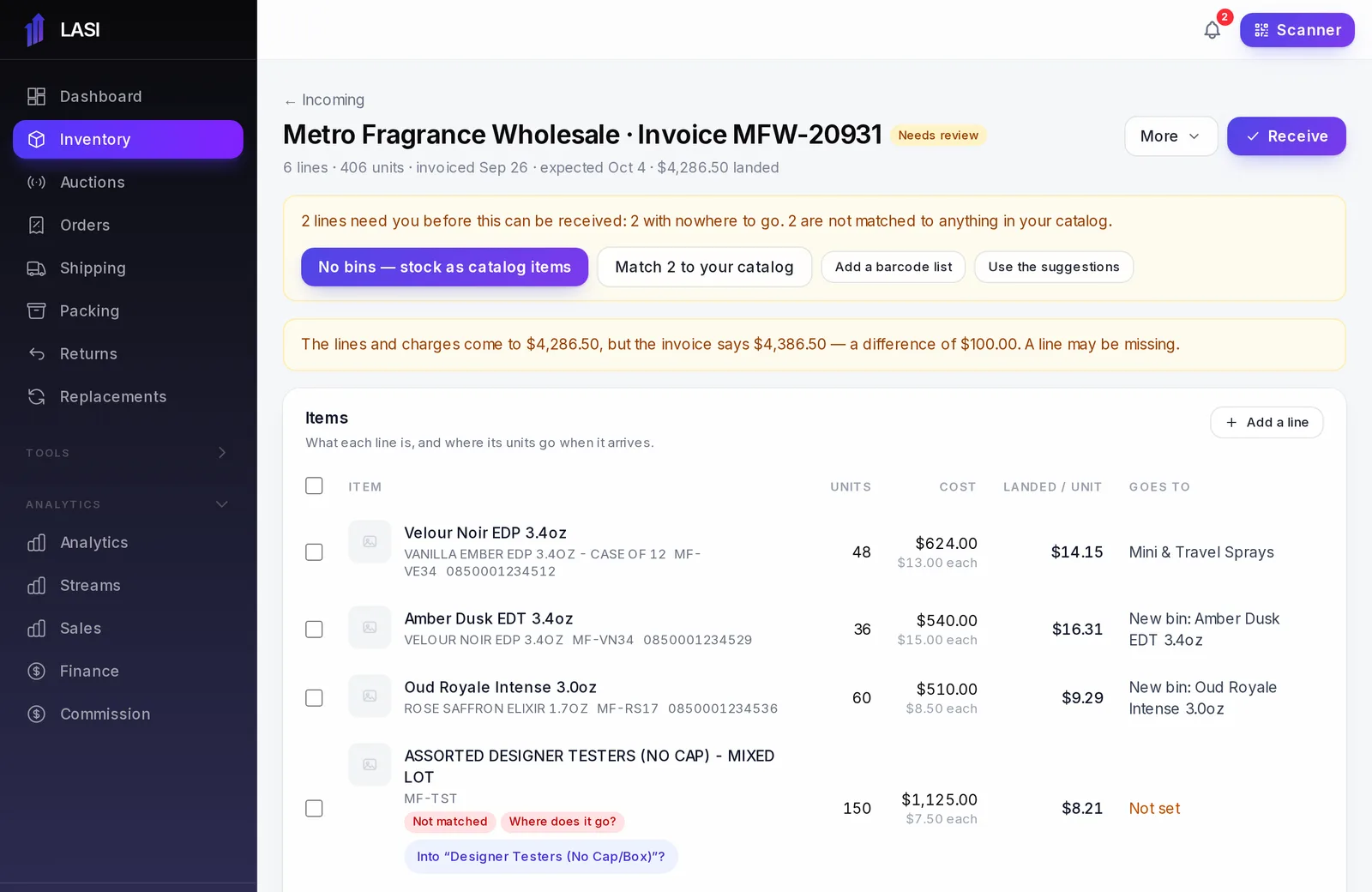
From LASI’s demo business. Names and numbers are made up.
Questions
What kind of invoice can I upload?
A PDF or a photo of the invoice. You can also type the lines in yourself.
What if the invoice has no barcodes?
Lines match by the supplier’s item number or the product name. If your supplier sends a barcode list, upload it as a spreadsheet and LASI fills them in.
Can my staff receive deliveries?
Yes. Staff can count and receive a delivery without ever seeing a cost.
Does it help with reordering?
Yes. Stock that is on its way counts in the forecast, so a bin with a delivery coming stops asking to be reordered.
The full walkthrough is in the User Guide: Incoming orders and receiving deliveries
Works with
Run your next show on LASI
Load a bin, go live, and know the real profit before you leave the studio.